
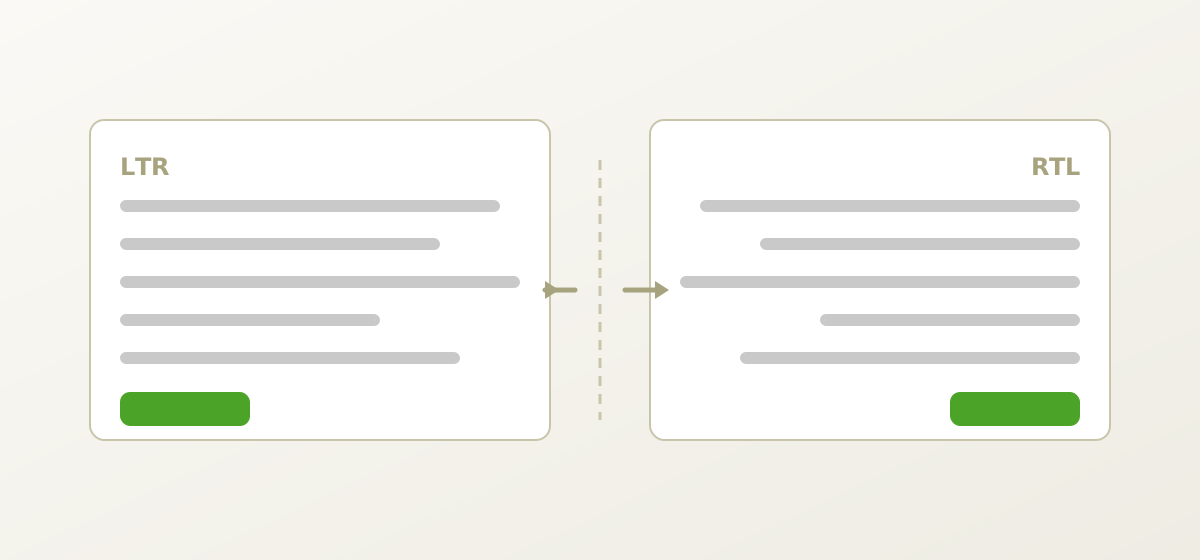
Adding right-to-left support is usually estimated as a CSS task and usually turns out not to be one. Arabic, Hebrew, Persian and Urdu together account for several hundred million users, and supporting them properly means understanding a text layout algorithm, a mirroring model, and a set of decisions about which elements flip and which do not.
The good news is that modern CSS has made most of the layout work close to free — if you write it the right way from the start. The bad news is that the remaining problems live in mixed-direction text, where they are genuinely subtle.
Two directions, three concepts
Keep these separate; conflating them causes most RTL confusion.
- Script direction — an inherent property of the writing system. Arabic script runs right to left. This never changes.
- Paragraph direction — the base direction of a block of text, set by
diror inferred from the first strong character. It decides where lines start and how neutral characters resolve. - Layout direction — which way your interface flows: navigation position, icon placement, progress direction, the reading order of a card grid.
They usually agree, but not always. An Arabic interface showing an English code snippet has RTL layout and LTR content in the same view, and the interesting bugs live exactly there.
The bidirectional algorithm, briefly
Unicode text is stored in logical order — the order you type it. Display order is computed by the Unicode Bidirectional Algorithm, which assigns each character a direction class and resolves runs against the paragraph's base direction.
Three classes matter in practice:
- Strong — Latin, Cyrillic and Greek letters are strongly LTR; Arabic and Hebrew letters are strongly RTL. They set direction for themselves and influence neighbours.
- Weak — digits and some symbols. Digits are laid out left to right even inside RTL text, which is why phone numbers and version strings behave the way they do.
- Neutral — spaces and most punctuation. These take direction from their surroundings, and that is where nearly every bidi bug originates.
The classic failure: a filename injected into an RTL sentence.
Template:  "تم حفظ الملف {name} بنجاح"
name:      "report-v2.pdf"

// Trailing period is neutral; it attaches to the LTR filename run
// and renders on the wrong side of the sentence.
The fix is isolation. Wrap every interpolated value of unknown direction so it cannot leak:
<!-- HTML: the correct tool for the job -->
<bdi>report-v2.pdf</bdi>

/* CSS: for elements whose content direction is unknown */
.filename { unicode-bidi: isolate; }

// Plain text: wrap in FSI (U+2068) … PDI (U+2069)
const safe = "\u2068" + value + "\u2069";
One rule that removes most bidi bugs
Isolate every interpolated value whose direction you do not control — usernames, filenames, search terms, URLs, product names. It costs nothing in LTR locales and prevents an entire class of defect in RTL ones.
Write logical CSS and mirroring becomes automatic
The single highest-value change is replacing physical properties with logical ones. Start and end resolve according to direction; left and right do not.
| Instead of | Write |
|---|---|
margin-left | margin-inline-start |
padding-right | padding-inline-end |
text-align: left | text-align: start |
border-left | border-inline-start |
left: 0 | inset-inline-start: 0 |
border-radius: 8px 0 0 8px | border-start-start-radius etc. |
width / height | inline-size / block-size |
Flexbox and Grid are already direction-aware: flex-direction: row follows the inline axis, so a row of buttons reverses on its own when dir="rtl" is set. Most teams who write logical CSS find that switching direction is genuinely a one-attribute change for the bulk of the interface.
/* Works in both directions with no overrides */
.toolbar {
  display: flex;
  gap: 12px;
  padding-inline: 16px;
  border-inline-start: 3px solid var(--accent);
}
What flips, and what must not
Mirroring is not global. Some things reverse because they encode reading direction; others encode physical reality and must stay put. Getting this wrong produces interfaces that feel subtly broken to native users.
| Element | Mirror? | Why |
|---|---|---|
| Back / forward arrows | Yes | They mean "previous/next", which follows reading order |
| Progress bars, sliders | Yes | Progress advances in the reading direction |
| Text indentation, bullets | Yes | Follows the text |
| Breadcrumbs, pagination | Yes | Sequence follows reading order |
| Play / pause buttons | No | Media timelines run left-to-right universally |
| Clocks, stopwatches | No | Clockwise is clockwise everywhere |
| Logos and brand marks | No | A mirrored logo is a damaged logo |
| Photographs | No | Mirrored people and text look wrong |
| Checkmarks, magnifiers | Usually no | Recognised as fixed shapes |
| Numbers, code, URLs | No | Always LTR internally, even inside RTL text |
/* Mirror only the icons that should mirror */
[dir="rtl"] .icon-arrow,
[dir="rtl"] .icon-chevron,
[dir="rtl"] .icon-undo { transform: scaleX(-1); }

/* Code and identifiers stay LTR regardless of context */
code, kbd, samp, .identifier { direction: ltr; unicode-bidi: isolate; }
Typography needs more attention than layout
Arabic script has properties Latin does not, and ignoring them produces text that is technically correct and visibly unpleasant.
- Contextual shaping. Arabic letters change form depending on position in a word and join to their neighbours. The shaping engine handles this — but only with a font that has the required tables. Do not substitute a font casually.
- Vertical extent. Arabic and especially Urdu (in Nastaliq style) need more vertical room than Latin at the same point size. Fixed line heights tuned on English will clip descenders.
- Optical size. Arabic generally needs 1–2pt more than Latin to be equally readable. Specify a slightly larger size for Arabic locales rather than assuming parity.
- No capital letters. Arabic and Hebrew have no case, so
text-transform: uppercasedoes nothing there — and your visual hierarchy, if built on capitals, silently disappears. Use weight, size or colour instead. - Digits. Arabic locales may use Western (0-9) or Eastern Arabic-Indic (٠-٩) numerals depending on region and context. This is a locale decision, not a global one; ask, do not assume.
- Justification. Traditional Arabic justification uses kashida elongation rather than space stretching. Browser support is limited; prefer left-aligned — that is, start-aligned — text over poor justification.
Forms, tables and data entry
Input fields are where mixed direction bites hardest, because the user's content direction may differ from the interface's.
- Let the field decide.
dir="auto"on inputs and textareas sets direction from the first strong character the user types. An Arabic UI where someone enters an English URL then behaves correctly. - Number and email fields stay LTR. Phone numbers, emails, credit card fields and identifiers are LTR content inside an RTL form. Set
dir="ltr"explicitly and align them to the start. - Labels and errors follow the interface. Even when the field itself is LTR, its label and validation message belong to the interface direction.
- Table columns mirror; numeric columns do not. Column order reverses, but the digits inside a currency column stay left to right, and decimal alignment still works from the decimal point.
- Placeholder direction follows the field, not the interface — otherwise placeholder and typed text jump position as the user types.
<label for="url">رابط المشروع</label>
<input id="url" type="url" dir="ltr"
       style="text-align:start" placeholder="https://">

<label for="note">ملاحظات</label>
<textarea id="note" dir="auto"></textarea>
Testing without reading Arabic
You do not need to speak the language to catch layout and direction bugs. You do need a native reader before you ship — but these get you most of the way:
- An RTL pseudo-locale. Wrap each string in RTL marks and reverse it, keeping it readable as mangled English. Every layout bug becomes visible to a monolingual reviewer.
- Screenshot diffing. Capture each screen in both directions and check that the RTL version is a sensible mirror rather than a mess of half-flipped elements.
- A mixed-content test string. Keep one that includes Arabic, Latin, digits, punctuation, a URL and an emoji. Paste it into every text field. It exposes isolation failures immediately.
- Keyboard navigation. Tab order should follow visual order in RTL. If focus jumps around, your DOM order and layout have diverged — usually from absolute positioning.
- Automated logical-property linting. A stylelint rule banning
margin-leftand friends in new code keeps the debt from growing back.
If your RTL build looks like your LTR build with the text pushed to the other side, you have flipped the layout without flipping the interface. Users notice immediately.
— from an RTL review of a project management tool
RTL readiness checklist
- All new CSS uses logical properties; a lint rule enforces it.
diris set on<html>from the active locale, not hard-coded.- Directional icons mirror; logos, media controls and clocks do not.
- Every interpolated value is isolated with
<bdi>or FSI/PDI. - Code, URLs and identifiers are forced LTR and isolated.
- Fonts covering Arabic, Hebrew and Urdu are loaded with correct fallbacks.
- Line heights give Arabic and Urdu room; nothing clips.
- Visual hierarchy does not depend on capitalisation.
- Inputs use
dir="auto"; numeric and email fields are explicitly LTR. - Tab order follows visual order in RTL.
- An RTL pseudo-locale runs in CI with screenshot diffs.
- A native reader has used the real build, not just read the strings.
That last item is not optional and cannot be substituted. Everything above catches structural problems; only someone who reads the language will tell you that the layout is technically correct and still feels foreign.
Working on something like this?
We do this for open source projects for a living, and for free when the project cannot pay. Tell us about yours — the first audit costs nothing.